Configuration
The configuration for extractions are available from the Linkage Project's settings. From the Linkage Project page, click the Settings link on the right side, then click Data Extraction.
From here you will see where linkage map extractions are stored, sent and the format in which they are created.
Output format
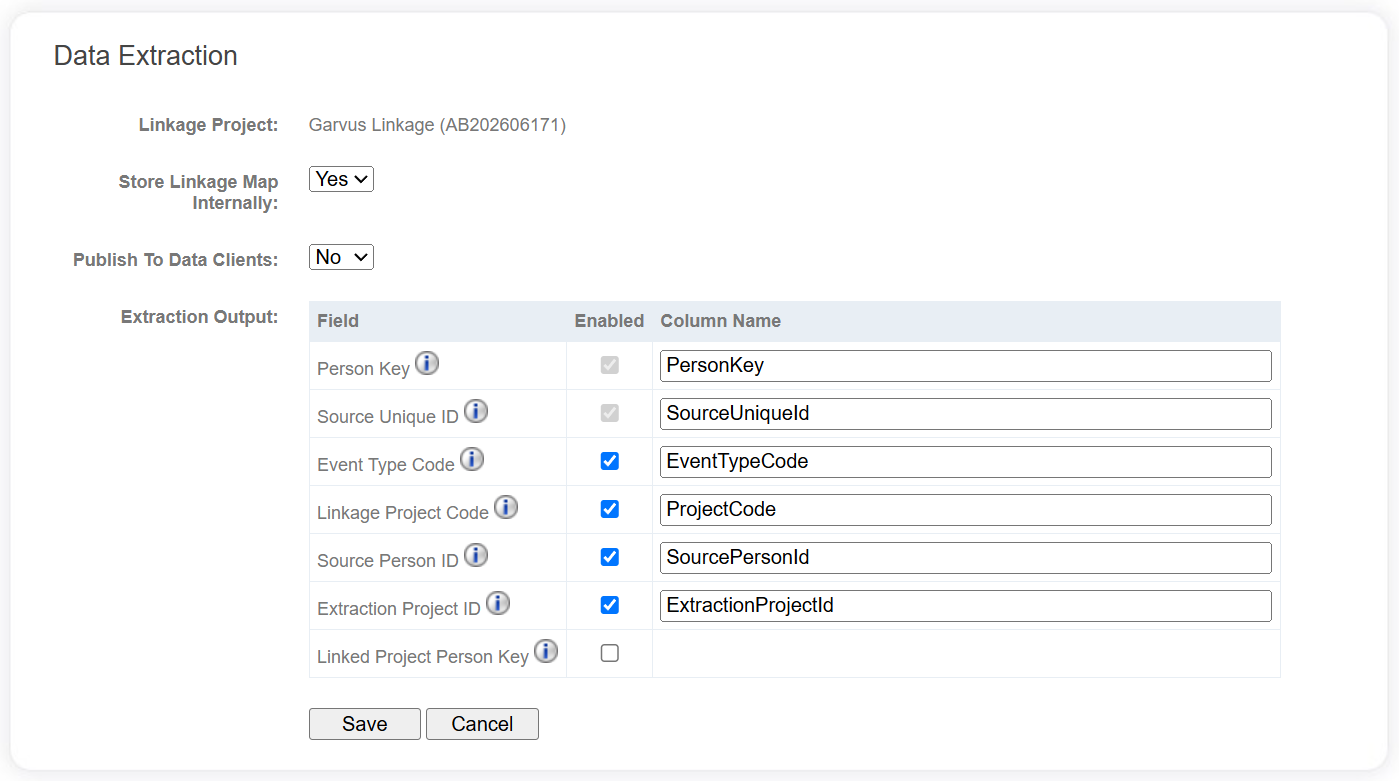
The following fields are available to be included in linkage maps, and the name of the columns can be changed as required.
| Field | Description |
|---|---|
| Person Key | The linkage key for the record, specifically for this Extraction Project. Records with the same PersonKey belong to the same person; records with different PersonKeys belong to different people. |
| Source Unique ID | The original record identifier supplied on the records when ingested into the system. |
| Event Type Code | The Code of the Event Type that the record is associated with. |
| Linkage Project Code | The Code of the Linkage Project that the Extraction Request is a part of. |
| Source Person ID | If a jurisdictional linkage key (i.e. a dataset specific person identifier) was provided on the dataset, this field is also output here. If not, this field is left blank. |
| Extraction Project ID | The identifier for the Extraction Project associated with the extraction. |
| Linked Project Person Key | If the record is from a linked project, this will be the enduring linkage key for the record from that other Linkage Project. |
Linkage map consumers
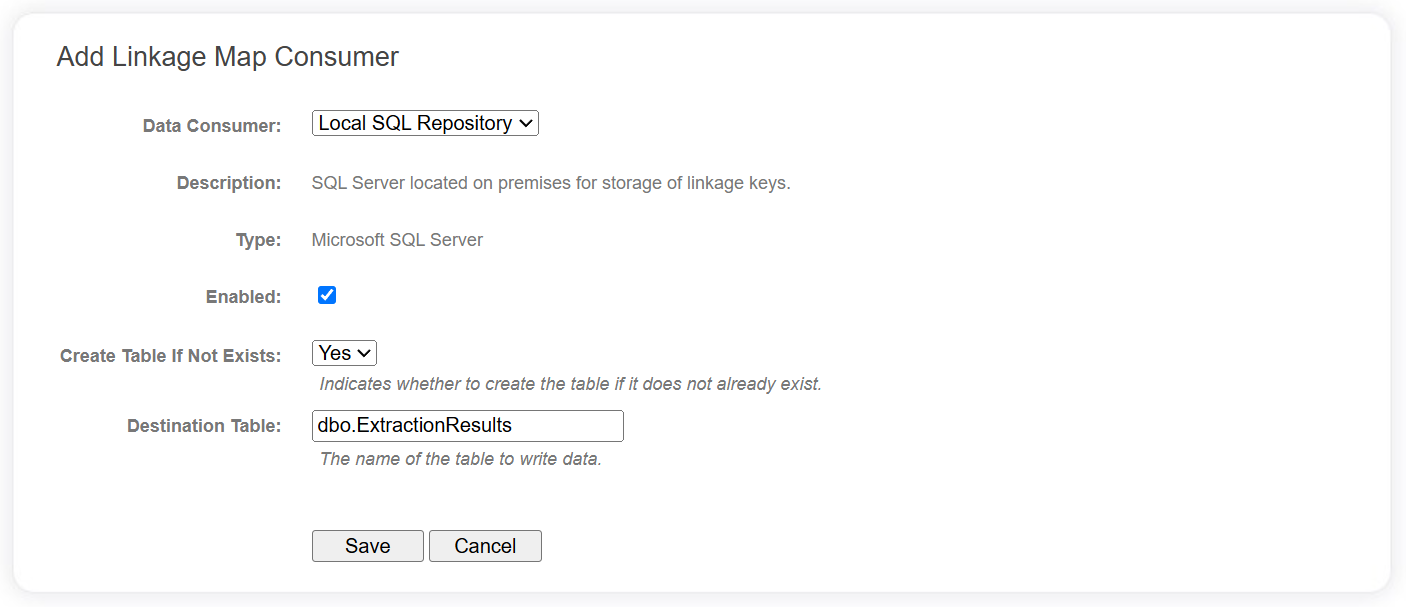
Linkage Map Consumers that have been configured in the Data Catalog can be added here, with some properties configured specifically for this Linkage Project. The data extraction settings page will list all consumers that have been added to the project.
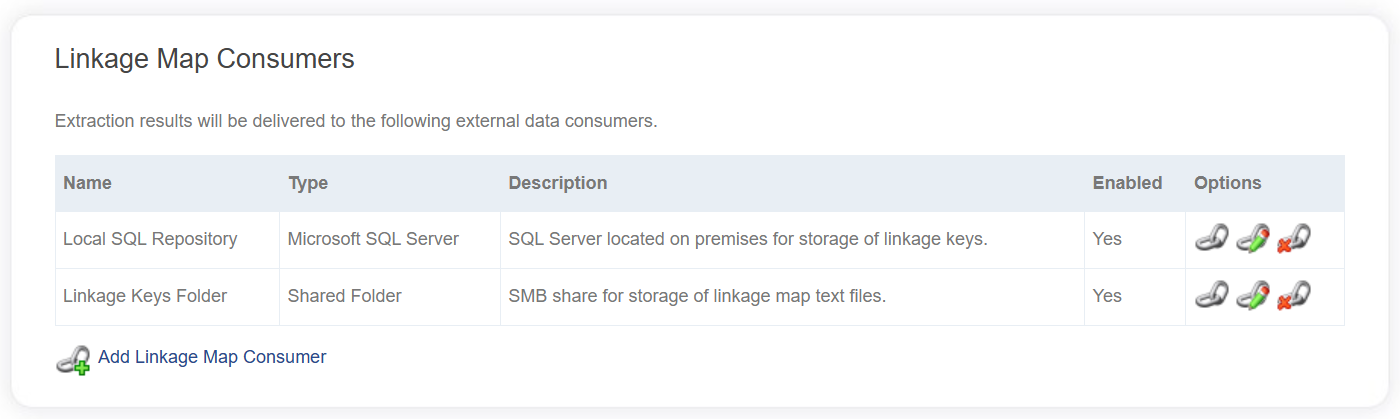
A linkage map consumer will not receive any linkage maps while it is disabled.
You can add any number of linkage map consumers from the data catalog. When you click the Add Linkage Map Consumer link, you will be presented with a dropdown list of all linkage map consumers in the data catalog. Linkage project specific properties for the consumer will be displayed and some of these properties will be determined by defaults configured at the data catalog level.