Linkage Map Consumers
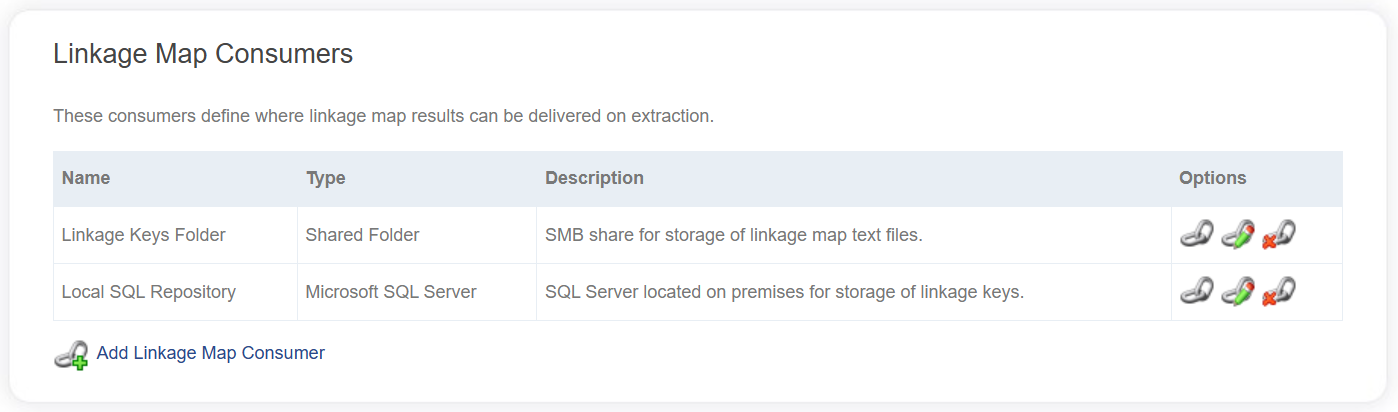
A linkage map consumer is an external system that can receive linkage map extractions directly. These are created and managed via the Data Catalog. Consumers defined in the Data Catalog can then be added to individual Linkage Projects to determine how linkage map extractions are shared.
Data Consumer Types
The following data consumer types are available in LinXmart:
📄️ Azure Blob Container
An Azure Blob Container can be used to store linkage map extractions.
📄️ PostgreSQL
Linkage map extractions can be written directly to a PostgreSQL table.
📄️ Shared Folder
Linkage map extractions can be written directly to a shared folder or drive.
📄️ Snowflake
Snowflake can be used to receive linkage map extractions directly.
📄️ Microsoft SQL Server
Linkage map extractions can be written directly to a SQL Server or Azure SQL table.
Adding a Linkage Map Consumer
To add a consumer to the Data Catalog, click the Add Linkage Map Consumer link at the bottom of the linkage map consumers list in the Data Catalog.
The following fields are required for all consumers.
| Field | Description |
|---|---|
| Name | A name to be assigned to the consumer. |
| Description | Textual description of the consumer being registered. |
| Type | The type of consumer, whether a shared folder or a SQL table or other. Changing this drop down will toggle additional fields that are specific to the type of consumer. |
Clicking the Save button will validate all properties and save the new consumer.
Editing a Linkage Map Consumer
A consumer can be edited by first selecting a consumer to view from the list in the Data Catalog and then clicking the Edit button on the Data Consumer page.
Almost all fields are editable for the data consumer, excluding the data consumer type.
The data consumer type cannot be changed. If this requires changing, you must delete the data consumer and create a new one of the appropriate type.
Deleting a Linkage Map Consumer
A data consumer can be deleted from the system by an authorised operator.
Deleting a consumer from the Data Catalog will also remove it from every Linkage Project it is associated with.