Shared Folder data consumer
Linkage map extractions can be written directly to a shared folder or drive.
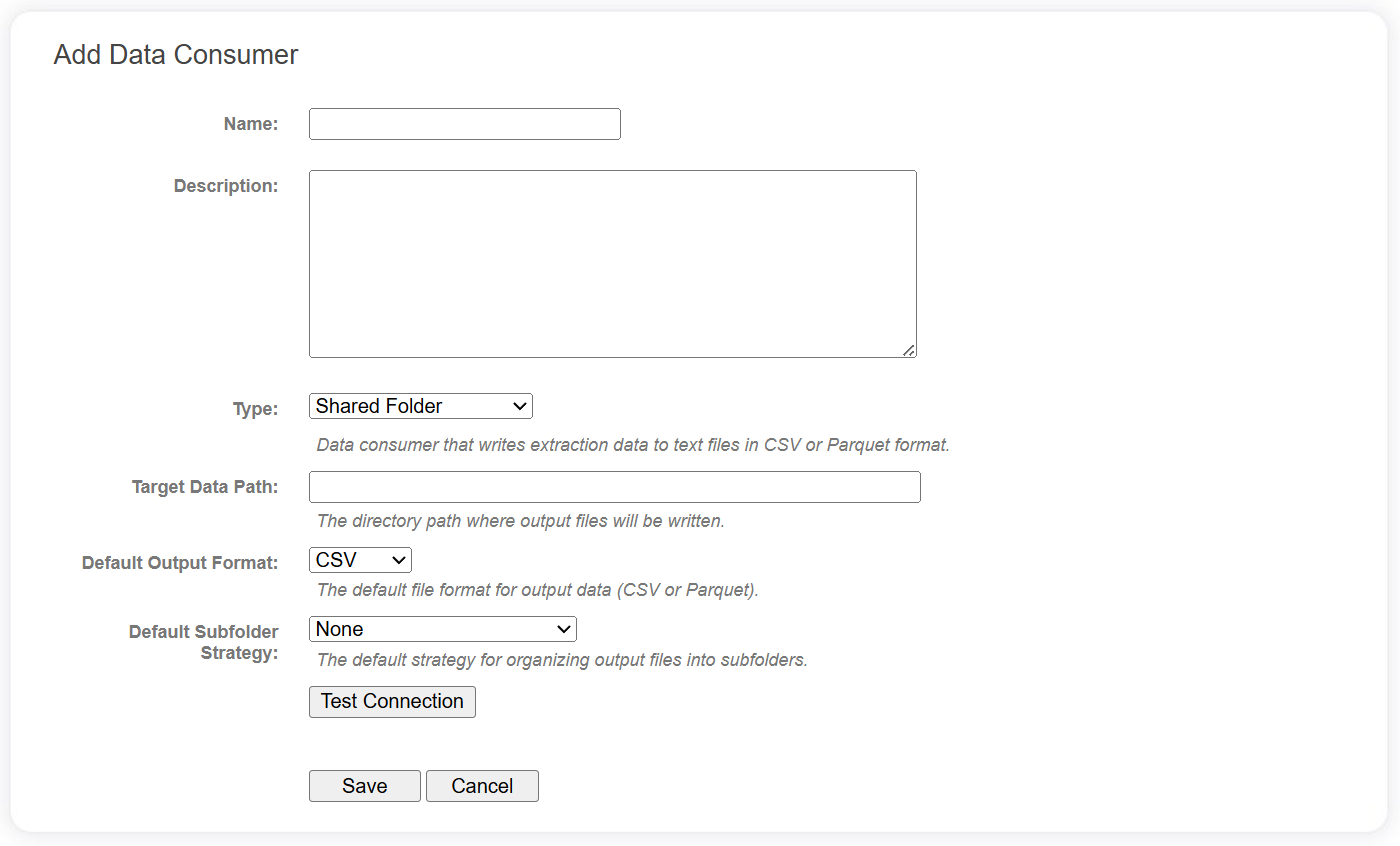
Connection fields
The following fields are required for Shared Folder data consumers in the data catalog.
| Field | Description |
|---|---|
| Target Data Path | The root directory of the destination of the linkage map text data. This can be a simple folder, UNC path or SMB share. |
| Default Output Format | A default value for when the data consumer is added to a project. See below. |
| Default Subfolder Strategy | A default value for when the data consumer is added to a project. See below. |
info
The fields beginning with 'Default' will be populated and editable when the data consumer is added to a specific project.
Use the Test Connection button to verify the shared folder exists and is accessible.
Project level fields
The following additional fields are available when the data consumer has been added to a specific Linkage Project. Some of these may have default values configured at the data catalog level.
| Field | Description |
|---|---|
| Output Format | Data can be written in either CSV or Parquet format. |
| Subfolder Strategy | This strategy will determine how files are stored within a folder hierarchy.
|
| Include Header | For CSV files only. Indicates whether to include a header row in the output file. |
| CSV Delimiter | For CSV files only. The delimiter character to use in output files. |