Text Files data source
Data can be pulled directly from a folder or file share. This data source provides the ability to ingest data directly into LinXmart from a folder or file share available to the worker process.
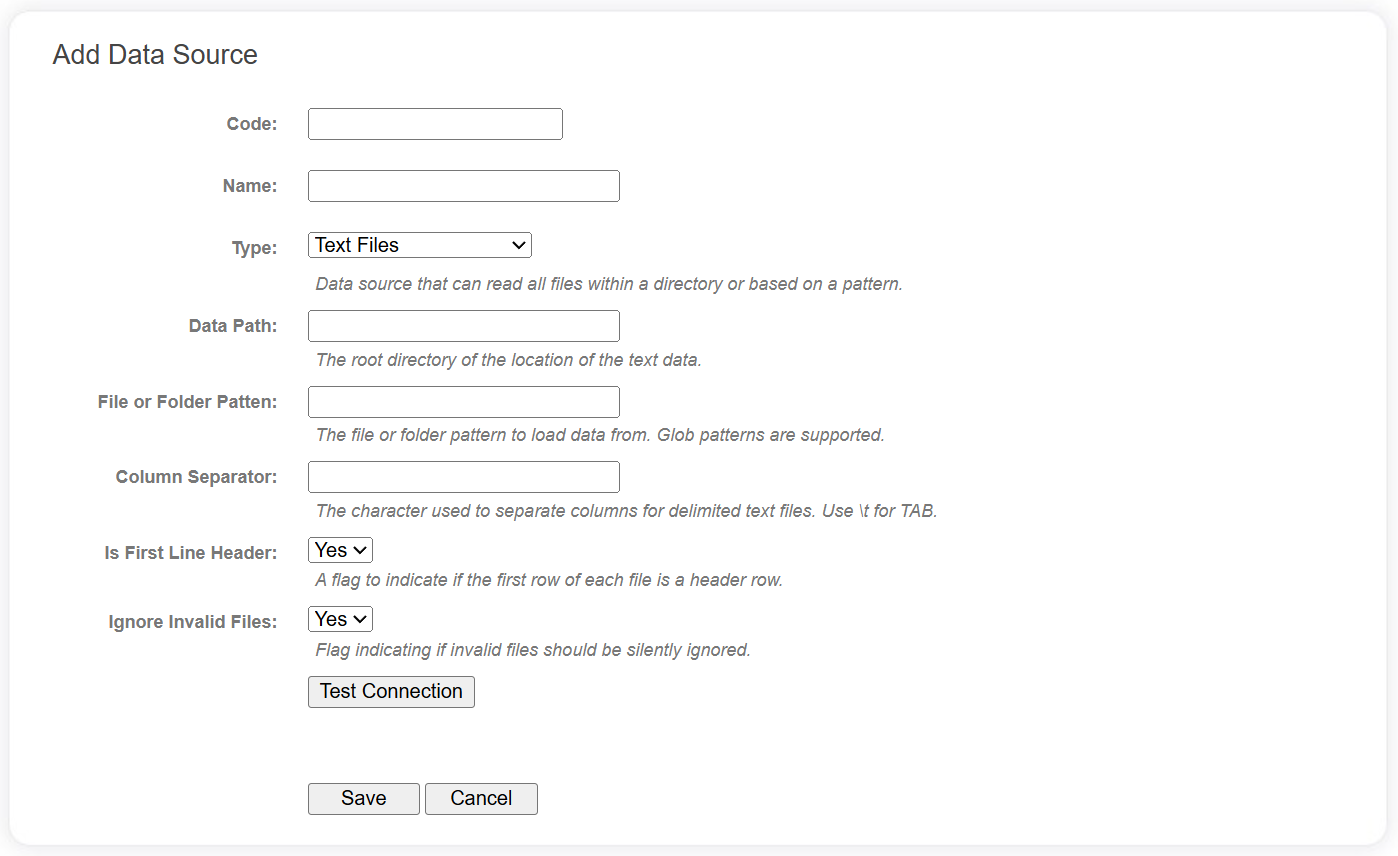
The following fields are required for Text Files data sources.
| Field | Description |
|---|---|
| Data Path | The root directory of the location of the text data. This can be a simple folder, UNC path or SMB share - it just needs to be accessible from the VM hosting the LinXmart worker process. |
| File or Folder Pattern | The file or folder pattern to load data from. Glob patterns are supported. Use * to represent wildcards in file and directory names. Use ** to represent arbitrary directory depth (recursive search). |
| Column Separator | The character used to separate columns for delimited text files (use \t for TAB). This is only applicable for delimited text files. |
| Is First Line Header | A flag to indicate if the first row of each file is a header row. This is only applicable for delimited text files. |
| Ignore Invalid Files | Flag indicating if invalid files should be silently ignored. |
Use the Test Connection button to verify the Text Files data path can be reached using the configuration provided.
A system-wide setting (Data Source Configuration | Text File Data | Exclusion List) provides a set of glob patterns for excluding files and folders from any data source that searches for files within a folder hierarchy. This defaults to excluding any file or folder beginning with an underscore or a dot.
Supported file types
When files are enumerated using the data source configuration above, the extension of each file is used to determine how to process it.
If the file extension is .gz or .gzip, gzip compression is assumed and the system will attempt to decompress the file before parsing.
If the file extension is .parquet, the Parquet format will be assumed and data will be loaded using Parquet.
For all other extensions, the system will assume it is a delimited file and will use the Column Separator and Is First Line Header properties to determine how to parse it.
Gzip compression can be combined with any file, so all of the following file formats are supported:
- data.csv
- data.parquet
- data.csv.gz
- data.parquet.gzip